

Redesign of the operating room schedule display in ClevEHR: towards a clearer and more intuitive interface
Context
As part of a continuous improvement approach, a healthcare institution using ClevEHR asked us to redesign the display of its operating room schedule. This request led to close collaboration between clinical teams, nursing management, and our own teams.
Several user workshops were conducted to identify concrete, real-world needs directly from the field.
Main objective
The primary goal was to create an intuitive interface that clearly displays all the information required for effective operating room management.
In doing so, the redesign aims to strengthen coordination, improve communication, and streamline the organization of on-site teams.
To illustrate this evolution, below is a visual comparison between the previous version of the schedule and the new optimized interface.
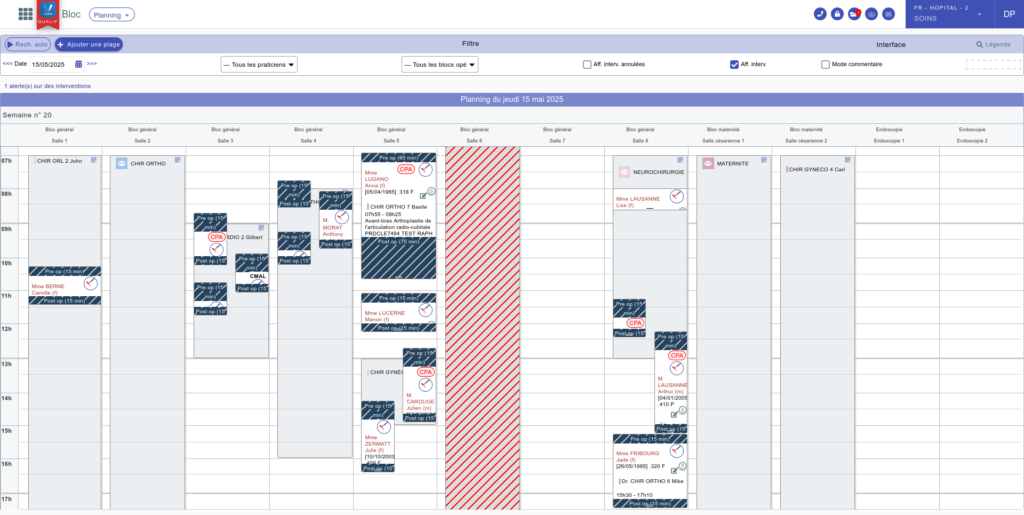
Previous version of the operating room schedule view
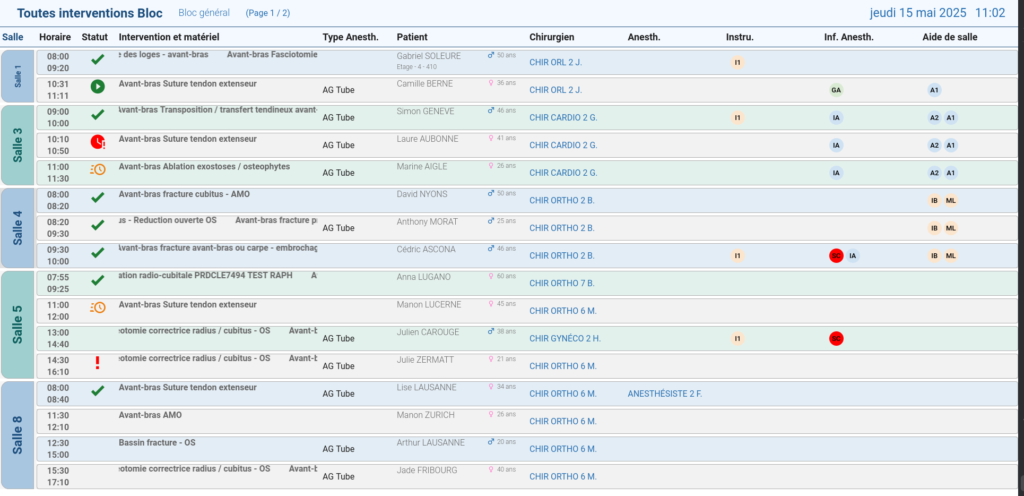
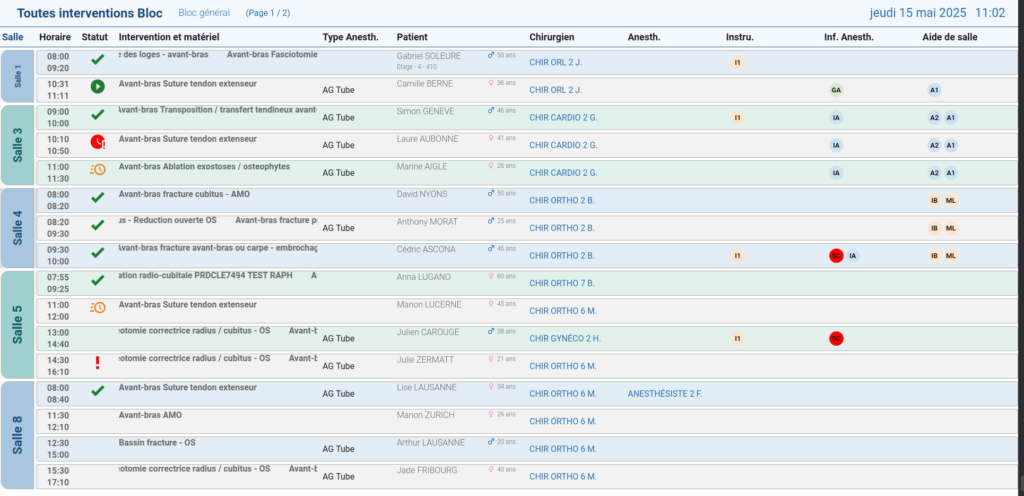
New operating room schedule control screen
What thinking went into the redesign, and how does this new display help improve communication and coordination within operating rooms? That’s what we invite you to discover in this article.
Customizing control screens for improved operating room scheduling
As part of an initiative to enhance the readability of operating room schedule displays, in-depth discussions were held with clinical and operational teams to identify the most essential information to be shown.
The objective: enable fast, fluid access to key data in order to support effective communication and optimal organization.
From now on, the person in charge can customize their control screen by selecting which elements are displayed and in what order, including: statuses, schedules, procedures, equipment, type of anesthesia, patient, surgeon, anesthesiologist, and nursing staff.
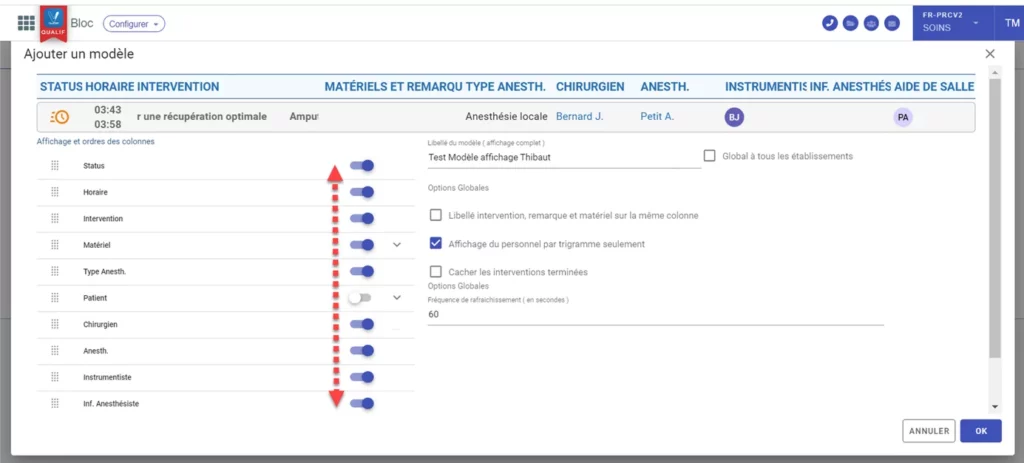
Control screen template configuration
In addition, multiple customized control screen templates can be created, tailored to each operating room or group of rooms. This makes it possible to define which schedule is displayed on which screen, depending on the specific needs of the surgical unit.
This level of flexibility allows for precise adaptation to each operating room configuration, supporting clearer communication and more efficient coordination.
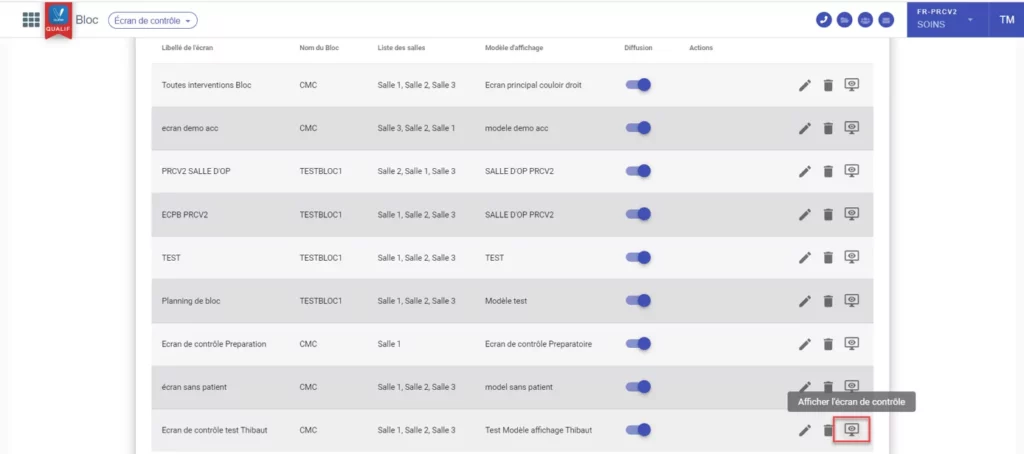
Visualization of today’s scheduled procedures
Understanding procedure status icons
Let’s now take a closer look at the operating room scheduling control screen.Variantes possibles selon le ton souhaité :
Improving the operating room scheduling screen: a concrete response to real-world needs
The redesign of the operating room schedule display in ClevEHR illustrates a user-centered approach focused on real operational needs. Through close collaboration with frontline teams, this evolution made it possible to design a control screen that is clearer, more customizable, and more functional.
New features—such as multi-room display, customizable visible elements, and the use of status icons—contribute to improved information flow within operating rooms.
This enhancement fully aligns with a continuous optimization strategy for digital hospital management tools, supporting both quality of care and smoother surgical workflows.